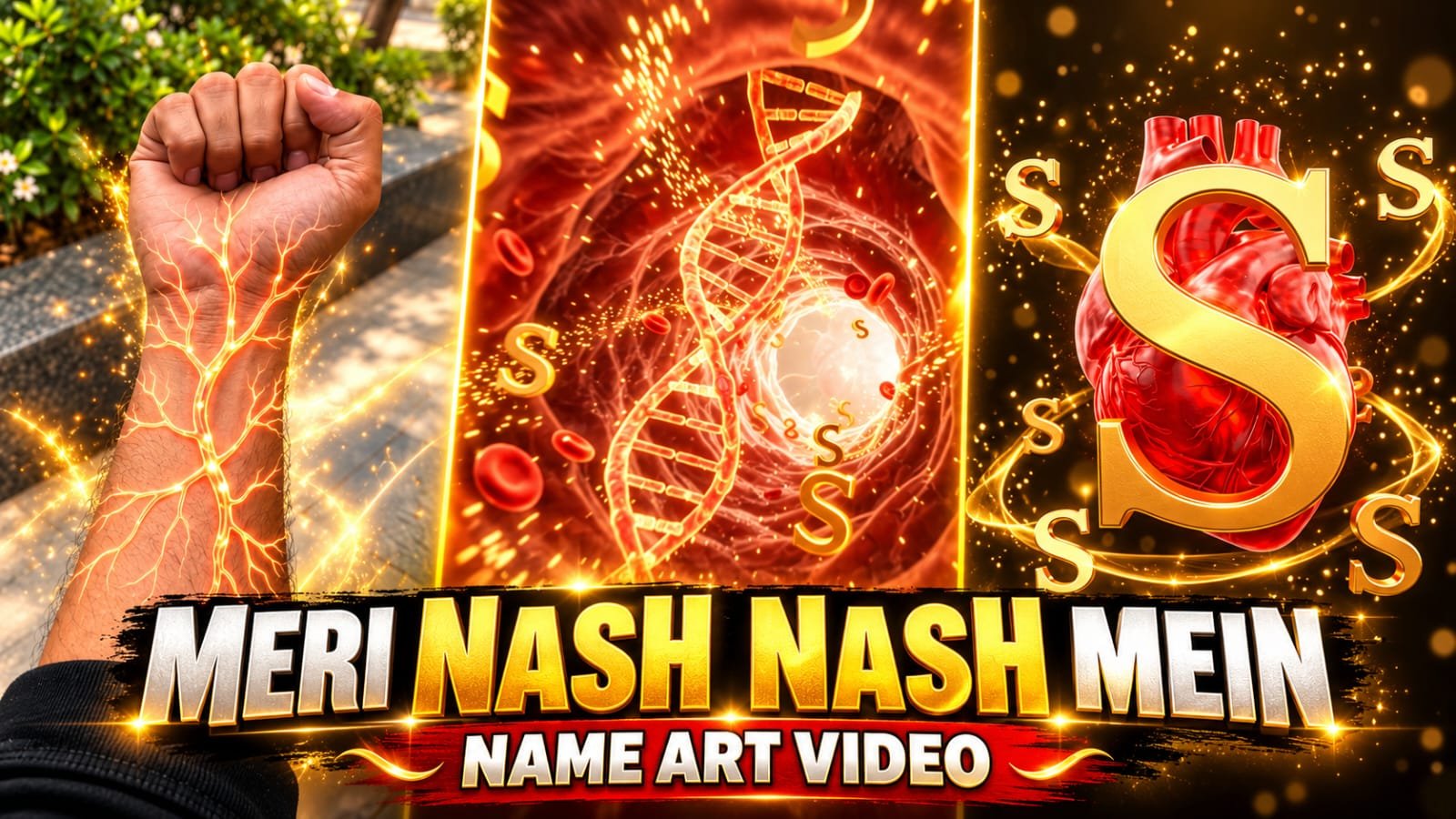
Friends, in this article, I told you about Instagram viral video editing, whose name is mari nash nash me bahe hai hand name art video editing Prompt. This video is creating havoc on Instagram as well. If you also want to make your video viral on Instagram by following this trend, then this is your chance. If you also want to make this video, for that you need one of your photos and one mari nash nash me bahe hai name art Prompt, with the help of which you can easily make the video without doing anything, you do not have to do much for that, you have to read this article till the end, due to which you will understand how to edit the video.
How to use Google Flow AI? Learn the complete step-by-step process.
Google Flow AI is an AI video creation tool from Google that allows users to create videos based on text prompts and available image input. To use it, follow the steps below.
Step 1: Open Google Chrome
First, open the Google Chrome browser on your mobile or computer. If you don’t have Chrome on your device, you can use another internet browser.
Step 2: Search for Google Flow AI
Type “Google Flow AI” in Chrome’s search bar and click the Search button. Find Google’s official website in the search results.
Step 3: Open the Google Flow website
Go to Google Flow’s official website, https://flow.google/. Once the website opens, click on the “Get Started” option.
Step 4: Login with a Google Account
Now, sign in with your Google Account. If you’re using this tool for the first time, follow the on-screen instructions. Availability and usage limitations may depend on your account, region, and plan.
Step 5: Create a New Project
After logging in, you may see a New Project or similar option. Click on it to start a new project.
Mari Nash Nash Me Bahe Hai Name Art Video Editing Prompt
Now, write a description for your video in the text box. Include the scenes you want to include, how the camera will move, the lighting, and the look of the video.
Ai Prompt
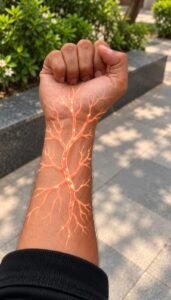
Create a highly detailed, ultra-realistic, cinematic 10-second vertical AI video using the uploaded hand/forearm photograph as the exact visual reference.
The entire video must follow a continuous cinematic transformation:
REAL HAND → GLOWING BLOOD VESSELS → MACRO VEIN ZOOM → MICROSCOPIC BIOLOGICAL TUNNEL → FLOATING BIOLOGICAL CELLS → FLOATING 3D ALPHABETS → GIANT GLOWING HEART → FINAL ALPHABET REVEAL.
The selected alphabet [V] is the central visual identity throughout the entire video.
VIDEO SETTINGS:
Duration: Exactly 10 seconds.
Aspect ratio: 9:16 vertical.
Resolution: 4K, if supported.
Style: Photorealistic, cinematic biological VFX, premium 3D animation, smooth continuous camera movement.
Lighting: Realistic skin lighting, glowing orange-red energy, golden highlights, dramatic volumetric illumination.
No subtitles, no extra text, no logos, no watermark.
==================================================
SCENE 1 — ORIGINAL HAND AND ACTIVATING VEINS
TIME: 0.0–1.5 SECONDS
==================================================
Begin with the uploaded photograph.
Preserve the original hand, skin tone, finger shape, wrist, watch, accessories, sleeve, arm proportions and background.
Maintain the original camera angle and hand position.
The hand should remain nearly motionless.
A tiny, intensely glowing orange-red point activates beneath the skin near the wrist.
Thin luminous vascular branches begin spreading naturally from this point, following the contours of the wrist and forearm.
The veins progressively grow, branch and illuminate the skin with realistic subsurface light scattering.
The glowing veins resemble an intricate network of biological blood vessels filled with flowing orange-red energy.
Tiny bright particles travel through the vessels.
The illumination intensifies gradually, revealing a detailed network of branching veins beneath the skin.
Keep the original hand recognizable and anatomically correct.
==================================================
SCENE 2 — EXTREME MACRO ZOOM INTO A SINGLE VEIN
TIME: 1.5–2.8 SECONDS
==================================================
The camera rapidly but smoothly approaches one prominent, glowing vascular branch on the forearm.
The selected vein becomes larger and fills the frame.
Show realistic skin texture and luminous vessel walls in extreme macro detail.
The camera aligns precisely with the opening of the glowing vascular pathway and travels forward into it.
The outer hand gradually disappears from view as the camera enters the microscopic interior.
Create a seamless transition from real skin into a three-dimensional biological environment.
Do not use an abrupt cut or a random transition.
The viewer must feel as though the camera is physically traveling inside the same glowing vein visible on the arm.
==================================================
SCENE 3 — INSIDE THE BIOLOGICAL VEIN AND FLOATING CELLS
TIME: 2.8–4.2 SECONDS
==================================================
Reveal a breathtaking microscopic tunnel resembling the interior of a living blood vessel.
The camera travels forward through a winding, organic tunnel with translucent reddish-orange vessel walls.
Thousands of tiny glowing particles flow through the tunnel.
Show realistic microscopic biological cells flowing through the blood vessel instead of a DNA double helix.
Include numerous detailed red blood cells with realistic three-dimensional shapes, soft rounded disc-like structures and slightly indented centers.
The cells must look like microscopic biological structures, not plastic beads or cartoon objects.
Some cells float past the camera in the foreground, while others drift through the middle and background of the tunnel.
Create a realistic sense of depth, with individual cells moving at different distances and speeds.
Some cells rotate gently as they travel through the vessel, following the natural fluid flow.
Add subtle glowing orange-red highlights along their surfaces, reflecting the luminous energy inside the blood vessel.
The vessel walls pulse subtly with biological motion.
Tiny glowing particles travel between the cells, creating a beautiful cinematic microscopic environment.
IMPORTANT: Do not show DNA, DNA strands, DNA double helices, molecular ladders or DNA-related structures anywhere in this scene.
Instead, emphasize the realistic movement of biological cells inside the glowing blood vessel.
As the camera continues moving forward, the number of floating cells gradually increases.
A few cells pass very close to the lens, creating an immersive microscopic journey.
Far ahead, a bright golden-orange opening gradually appears through the flowing cells.
The camera accelerates smoothly toward this opening, preparing the transition into the next scene.
Use realistic depth, fluid motion, volumetric lighting, subtle motion blur and a strong sense of microscopic scale.
The environment must feel like an immersive journey inside the human body’s vascular world.
==================================================
SCENE 4 — FLOATING BIOLOGICAL CELLS AND 3D ALPHABETS
TIME: 4.2–6.8 SECONDS
==================================================
The camera moves deeper into the glowing biological tunnel.
Numerous realistic red blood cells continue floating and moving through the environment.
The cells remain visible in the foreground, middle ground and background, creating a rich microscopic atmosphere.
Glowing orange-red particles swirl around the cells.
The biological particles gradually begin forming a beautiful golden-orange energy vortex.
Now introduce numerous three-dimensional uppercase letters matching the selected alphabet [V].
All recognizable alphabet characters must be exactly [V].
The letters emerge from the glowing particles and luminous energy trails within the biological environment.
The letters begin floating through the tunnel alongside the biological cells.
Some letters rotate slowly around their vertical axes.
Others move toward the camera and pass close to the lens.
Smaller letters travel deeper into the tunnel.
Create a powerful sense of depth using foreground, middle-ground and background letters.
The letters should look like premium three-dimensional metallic-gold characters with luminous orange edges.
Maintain clear, recognizable letter shapes.
Do not allow the letters to morph into other characters.
The biological cells must remain separate from the letters.
Do not transform the cells into DNA, and do not introduce any DNA helix in this scene.
The camera accelerates smoothly through the cell-filled and letter-filled tunnel toward a bright, mysterious opening ahead.
Maintain consistent lighting, realistic depth and smooth camera movement.
==================================================
SCENE 5 — GIANT HEART AND ALPHABET TRANSFORMATION
TIME: 6.8–8.7 SECONDS
==================================================
The camera emerges from the microscopic tunnel into a dramatic, dark cinematic space filled with golden energy trails.
At the center, reveal a large, anatomically inspired, three-dimensional red heart with a beautiful glossy, translucent surface and subtle glowing vascular details.
The heart should look realistic, elegant and cinematic, not cartoonish or frightening.
The heart beats gently once, producing a visible pulse of golden-orange light that spreads through the surrounding space.
Luminous blood-vessel-like branches extend around the heart.
The selected alphabet [V] appears around the heart as multiple small, floating metallic-gold 3D letters.
The letters orbit the heart in elegant curved trajectories, connected visually by fine glowing energy ribbons.
The camera moves in a smooth semicircular arc around the heart.
As the golden energy intensifies, the floating letters converge toward the center, preparing the final reveal.
The heart must remain visible and recognizable during this transformation.
==================================================
SCENE 6 — FINAL HERO SHOT
TIME: 8.7–10.0 SECONDS
==================================================
Create a spectacular final composition.
A single enormous uppercase letter [V] materializes directly in front of the glowing red heart.
The letter must be perfectly recognizable, centered, symmetrical where appropriate, and rendered as premium three-dimensional metallic gold.
The heart remains visible behind the central alphabet, creating a dramatic heart-and-letter composition.
Smaller copies of [V] orbit around the heart and central letter.
Golden energy ribbons circle the composition while glowing particles float gently through the dark background.
The heart produces a final subtle luminous pulse.
The central letter shines intensely for a brief moment.
End with a stable, beautiful cinematic hero shot showing the giant selected alphabet and the glowing heart together.
Hold the final composition long enough for the viewer to recognize the letter clearly.
Do not end on the original hand.
Do not cut away before the heart and final alphabet appear.
==================================================
CAMERA AND MOTION REQUIREMENTS
==================================================
Use one visually continuous, carefully coordinated camera journey.
Start with a stable shot of the uploaded hand.
Move into a slow-to-fast macro zoom toward the glowing vein.
Travel forward through the microscopic biological tunnel.
Pass through realistic floating red blood cells and glowing biological particles.
Move through the floating alphabet characters.
Accelerate toward the bright opening.
Reveal the glowing heart with a smooth cinematic emergence.
Finish with a controlled orbit and a stable final hero shot.
Use realistic perspective, smooth acceleration, natural depth of field and consistent spatial direction.
Avoid random camera movements, unnecessary scene changes, flickering, abrupt cuts and inconsistent object placement.
==================================================
STRICT REFERENCE AND ALPHABET CONSISTENCY
==================================================
1. Use the uploaded photograph as the source of the opening scene.
2. Preserve the original person’s hand, skin tone, fingers, wrist, watch, accessories and clothing.
3. Do not invent a different hand or change the original pose.
4. The glowing veins must visibly grow from the actual wrist and forearm in the uploaded photograph.
5. The macro zoom must originate from a visible glowing vein.
6. The biological tunnel must feel connected to the vein rather than appearing as an unrelated scene.
7. Show realistic biological cells inside the vein instead of a DNA double helix.
8. Do not show DNA strands, DNA structures or DNA helices anywhere in the video.
9. Use only the selected uppercase alphabet [V] for all recognizable floating letters and the final hero letter.
10. Do not introduce unrelated letters, numbers or words.
11. The final composition must include both the selected alphabet [V] and a clearly visible glowing red heart.
12. Maintain consistent golden-orange alphabet styling, realistic red biological details and cinematic lighting.
13. Keep the entire transformation within 10 seconds.
14. Prioritize smooth visual continuity and reference fidelity over excessive effects.
15. Avoid distorted hands, unrealistic cells, illegible letters, broken biological structures, deformed hearts, excessive particle clutter and flickering.
16. Ensure the cells have realistic three-dimensional shapes and natural flowing movement.
17. The final result must look like a premium cinematic AI-generated biological alphabet transformation video.
==================================================
AUDIO
==================================================
Use subtle biological pulses, a soft electrical activation, a smooth microscopic whoosh during the vein zoom, gentle fluid ambience, subtle microscopic particle sounds and a deep cinematic impact when the final alphabet appears.
No background music.
No voice-over.
Step 7: Choose Video Settings
Select the video model, aspect ratio, and other generation settings from the available options. If you’re creating videos for Instagram Reels or YouTube Shorts, a 9:16 aspect ratio is useful. For regular YouTube videos, you can choose a 16:9 aspect ratio.
Step 8: Click the Generate button
After completing all the settings, click the Generate button. The AI will now create the video based on your instructions. This may take some time.
Step 9: Preview the video
Once the video is ready, play it back. If the result isn’t what you expected, you can modify the prompt and generate the video again.
Step 10: Download the video
If a download option is available with the video, click it to save it to your device. You can then use it as needed.
Conclusion
Friends, you must have liked “Mari Nash Nash Me Bahe Hai Name Art Video Editing Prompt very much, and you must have learned how to use this template, by using this template you too must have learned to edit your video in a very correct way. If you have any problem in using this template, you can ask us through comment, and we will definitely reply.