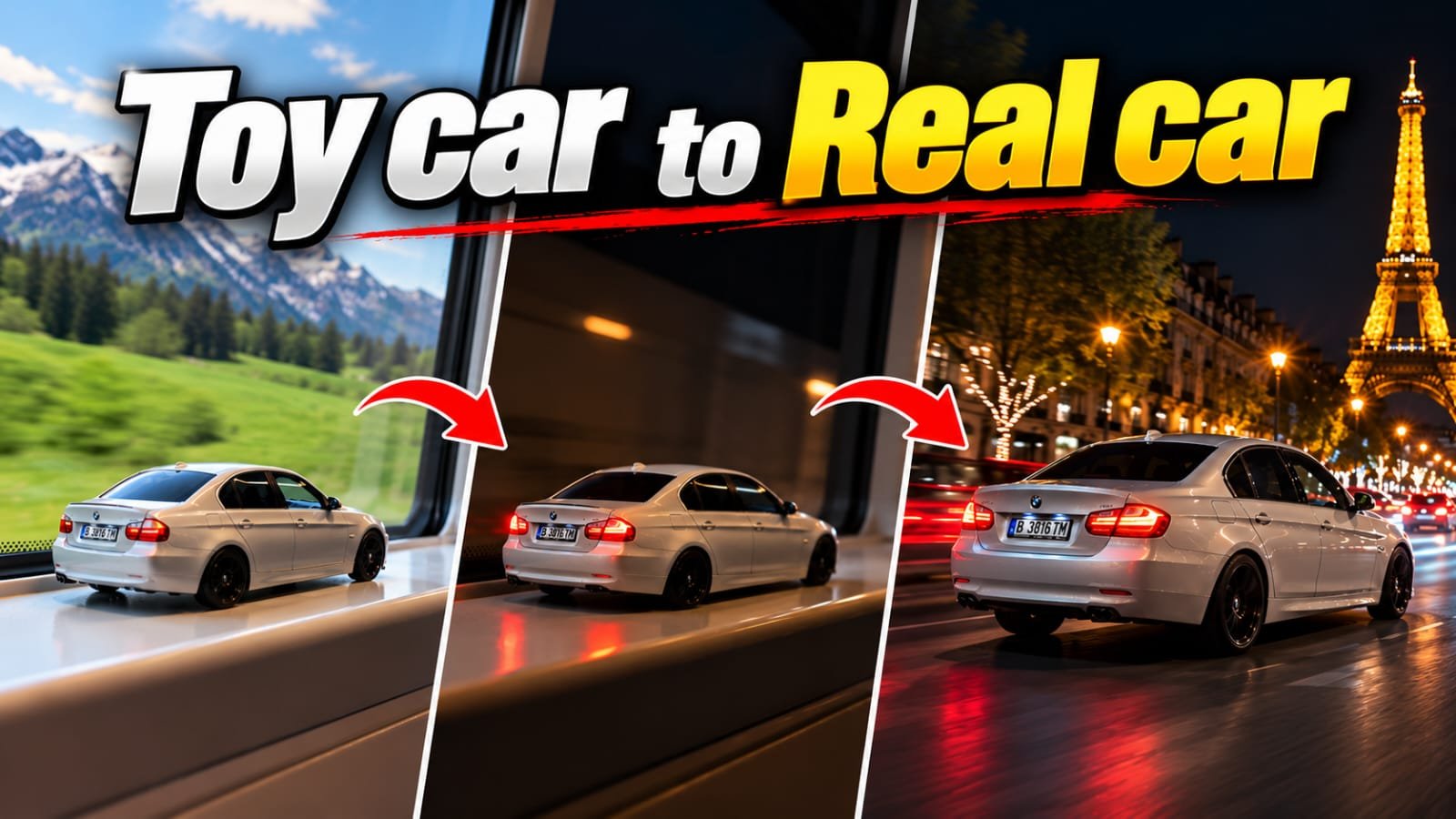
Friends, in this article you have been told about Instagram viral video editing whose name is toy car to real car transition prompt. This video is going viral on social media Instagram. If you also want to edit such viral video of your own, then it is very easy to make this video. You just need a photo of your car and a prompt with the help of which you can make the video very easily. You just have to copy paste the prompt and it will do all the work. You just have to read this article till the end, only then you will understand everything.
How to use Google Flow AI? Learn the complete step-by-step process.
Google Flow AI is an AI video creation tool from Google that allows users to create videos based on text prompts and available image input. To use it, follow the steps below.
Step 1: Open Google Chrome
First, open the Google Chrome browser on your mobile or computer. If you don’t have Chrome on your device, you can use another internet browser.
Step 2: Search for Google Flow AI
Type “Google Flow AI” in Chrome’s search bar and click the Search button. Find Google’s official website in the search results.
Step 3: Open the Google Flow website
Go to Google Flow’s official website, https://flow.google/. Once the website opens, click on the “Get Started” option.
Step 4: Login with a Google Account
Now, sign in with your Google Account. If you’re using this tool for the first time, follow the on-screen instructions. Availability and usage limitations may depend on your account, region, and plan.
Step 5: Create a New Project
After logging in, you may see a New Project or similar option. Click on it to start a new project.
Toy Car To Real Car Transition Prompt
Now, write a description for your video in the text box. Include the scenes you want to include, how the camera will move, the lighting, and the look of the video.
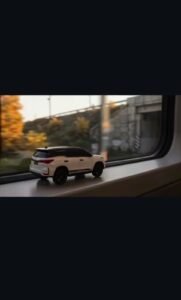
REFERENCE VIDEO
VIDEO PROMPT PART -1
Ai Prompt
Use my uploaded car reference image as the absolute and unchangeable source of truth for the vehicle.CRITICAL VEHICLE ORIENTATION LOCK:
The car must look EXACTLY like the uploaded reterenoe image. Preserve its original front-to-rear direction, lettright
orientation, viewing angle, visible side, wheel postions, body shape, color, grille, headlights, tailights and proportions. Do not miror, horizontally flip, vertically fip, rotate, reverse, redesign or reinterpret the vehicle. Never make the car face the opposite direction. Do not generate a diferent version of the car.
Place a miniature version of this exact reference car on the interior window ledge of a moving passenger train. Keep the miniature facing in the exact same direction as shown in the reference image. The miniature is a rigid, inanimate object.Al four wheels remain completely stationary.
The train travels forward. Outside the narrow rectangular train window, golden-hour scenery moves naturally from right to left. The train gradually approaches and enters a railway tunnel. Maintain the same camera position, car orientation and composition throughout the shot
The car must not rotate or change its facing direction at any time. Camera movement must never cause the car to appear mirrored or reversed. Keep the vehicle’s identity and orientation consistent in every frame.
End inside the dark rallway tunnel with the stationany miniature car stl islble on the window ledge. One continuous shot, no cuts, no transformation yet.
Ultra-photorealistic, cinematic, 9:16 vertical, realistic lighting and natural motion. No text, no watermark, no visual glitches.
VIDEO PROMPT PART -2
Ai Prompt
Continue directly from the final frame of Part 1. Use the uploaded relerence image and the final frame of Part 1 to presere the exact same vehicle identity, orientation, camera continuity and composition.
ABSOLUTE ORIENTATION LOCK:
The car must retain the exact same front-lo-rear direction and lef-right orientation as the uploaded reference. NO horizontal mirroring, NO flipping, NO reversing, NO unwanted rotation, NO changing the visible side, NO redesign and NO altered vehicle proportions. The car’s grille, headlights, taillights, wheels, body color and all distinctive details must match the reterence.
00:00-00:04— SMOOTH TRANSFORMATION:
The train continues through the dark tunnel. The miniature car remains completely motionless on the window ledge unti darkness gradually conceals the train interior. Over four full seconds, use a seamless, gradual transition to reveal the exact same car as a full-size real vehicle inside a road tunnel.
Keep the car’s original orientation consistent throughout the transition. Do not spin or rotate the car to create the effect. Do not morph its body shape. Use darkness, matched framing, gradual environmental blending and smooth camera movement to create the illusion of transformation.
At the end of the transformation, the ful-size car beins driving forvard naturally. Ony its wheels rolate as it drives. The car must not turn around or suddenly face the opposte direction.
00.:04-0:08 – TUNNEL EXIT:
Follow the car smoothly from a rear three-quarter angle that is physicaly consistent with its actual driving direction. It exits the road tunnel onto a nightime highway. Preserve the exact same vehicle identity and orientation. Continue uninterrupted driving for at least two seconds after exiting
00:08-00:10 – SIDE TRACKING
Make one dlean cut to a side-tacking view. The camera moves parall to the moving car without changing the car’s actual drection of travel. Maintain accurate wheel rotation, realistic road motion and consistent vehicle geometry.
The transition must be smooth, progressive and cinematic. Never fip, mirror, reverse or rotate the vehicle to force a transition
If a camera angle cannot be achieved without changing the car’s orientation, preserve the reference orientation and use a
compatible camera angle instead
9:16 vertical, ultra-photorealistic automotive commercial, realistic nightime lighting, no text, no watermark, no glitches.
Step 7: Choose Video Settings
Select the video model, aspect ratio, and other generation settings from the available options. If you’re creating videos for Instagram Reels or YouTube Shorts, a 9:16 aspect ratio is useful. For regular YouTube videos, you can choose a 16:9 aspect ratio.
Step 8: Click the Generate button
After completing all the settings, click the Generate button. The AI will now create the video based on your instructions. This may take some time.
Step 9: Preview the video
Once the video is ready, play it back. If the result isn’t what you expected, you can modify the prompt and generate the video again.
Step 10: Download the video
If a download option is available with the video, click it to save it to your device. You can then use it as needed.
Conclusion
Friends, you must have liked “Toy Car To Real Car Transition Prompt very much, and you must have learned how to use this template, by using this template you too must have learned to edit your video in a very correct way. If you have any problem in using this template, you can ask us through comment, and we will definitely reply.